HubNext
Free onboarding for the first 10 customers

10 systems. One hub.

Tasks, CRM, knowledge base, automation and reports in one system for the whole company. No per-employee fees.

A local alternative to Jira, Confluence, Salesforce and Miro — with support close by.
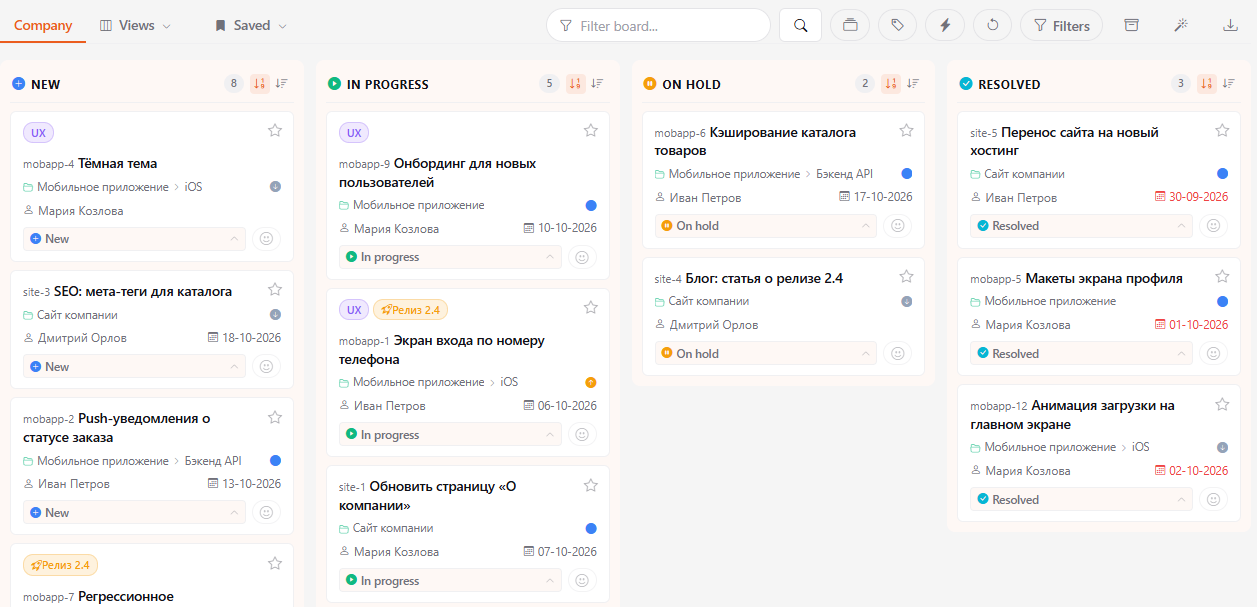
HubNext kanban task board
10+
companies already work in HubNext
2,900+
tasks completed in the system
90+
active users
Trusted by: SCAT Air Astana Pul Express Centrum Air Aluminium of Kazakhstan Travel Club ETG Agentskiy Voiaj AZDC
Connected services: Infobip Fizix Unisender Go
Your data is stored in Kazakhstan, in certified data centers.
Free onboarding for the first 10 customers
We will help you move your work into HubNext and set the system up for your team.
Pricing is on request: we will send a commercial proposal. Write to us or request a call.
Request a call
Features

10 systems, one connected business

The essentials of Jira, Confluence, Salesforce and Miro, together.

01
Work Management
Projects, tasks and time
02
CRM + CDP
Customer profiles, data and segmentation
03
Sales Pipeline
Deals, leads, stages and follow-ups
04
Marketing Automation
Campaigns and automated follow-ups
05
Company Management
People, groups and leave
06
Communications Hub
Messaging connections and delivery
07
Knowledge Base
Documents and team knowledge
08
Goals & Analytics
Targets, progress and reports
09
Personal Productivity
To-dos, notes and daily focus
10
AI Hub
Business context for your AI assistants
Built for SMEs. One local product. Local support.

Organize your work. Keep every detail.

  • OrganizeProjects, tasks, tags and kanban boards.
  • ManageOwners, deadlines and clear results.
  • TrackFull history, comments and notifications.
Organize your work. Keep every detail.

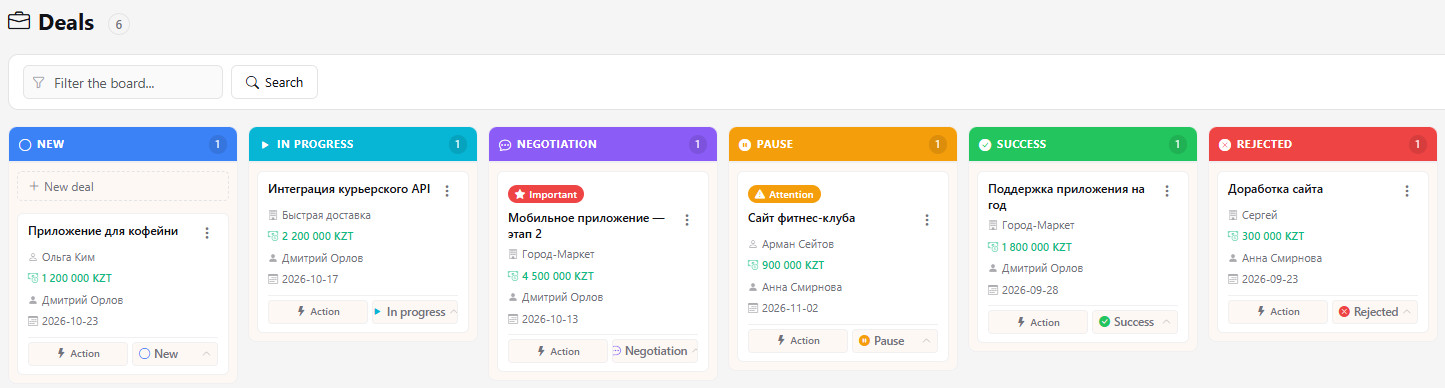
From first contact to closed deal.

Every deal has an owner. Every opportunity has a next step.

  • Know the customer: contacts, products and history
  • Find opportunities: deal amount and sales stage
  • Act on time: owner and next action
  • Close deals: the result and the work that follows
From first contact to closed deal.

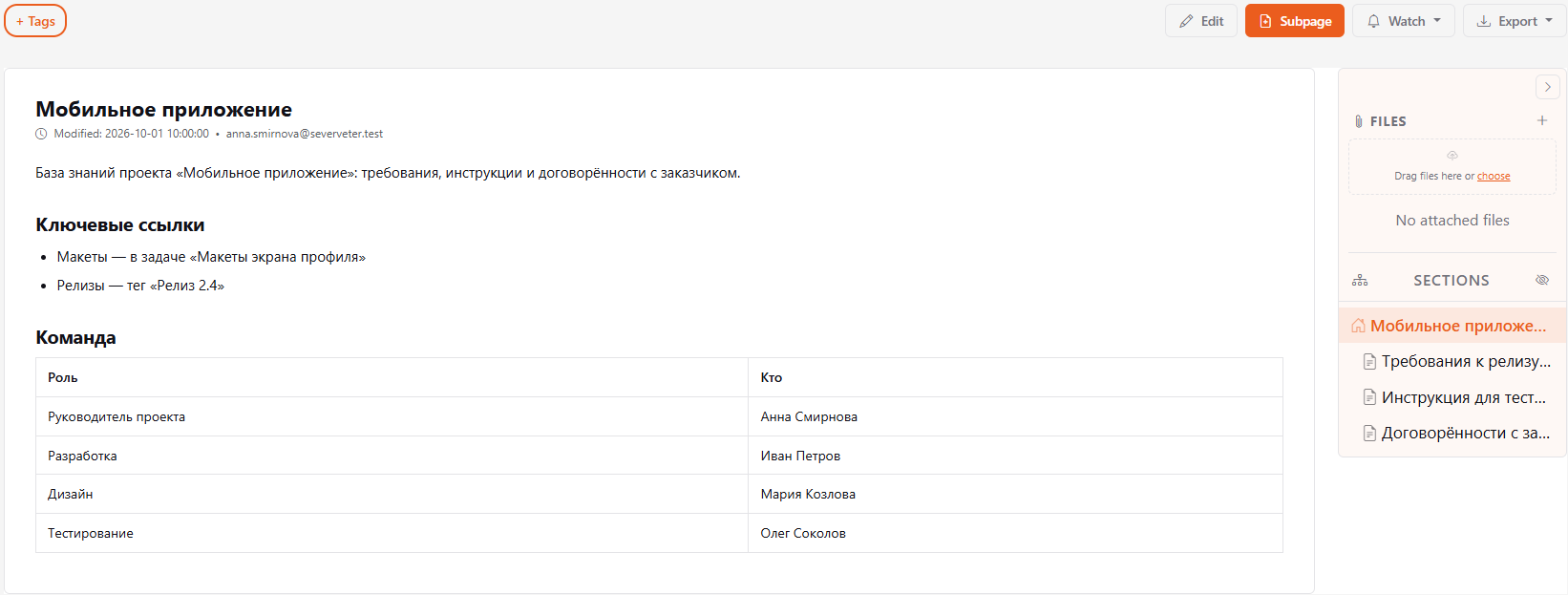
Your team’s knowledge stays in the company.

Documents, procedures and decisions in one knowledge base, with a section structure and search.

Your team’s knowledge stays in the company.

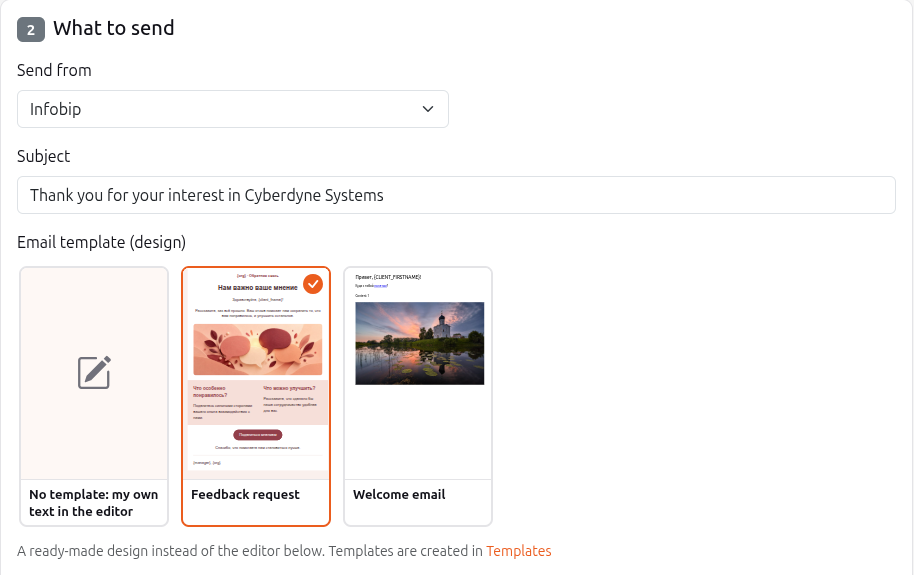
Connect sales. Automate the next steps.

You set the rules. HubNext keeps the conversation with customers going.

Example scenario after a purchase
Purchase completed Thank-you message Pause for 7 days Review request New offer

Check delivery. Follow the results. Improve the scenario.

Connect sales. Automate the next steps.
Agents

Agents do the work for you.

No tokens spent

Switch one on and the routine runs by itself. For example, the Pigeon reads your mail, creates tasks and keeps the correspondence with the client. You set the rules, the agent follows them.

They work for you
They sort incoming mail, create tasks and comments and link them to clients, while you get on with the real work.
No tokens spent
Agents do not call AI models, so nothing is charged for their work.
Everything runs on rules
You decide what the agent does and when. Clear behaviour, predictable results.
Independent of AI
They run without AI subscriptions, API keys or pay-per-request fees: no operating costs beyond the Automation plan.

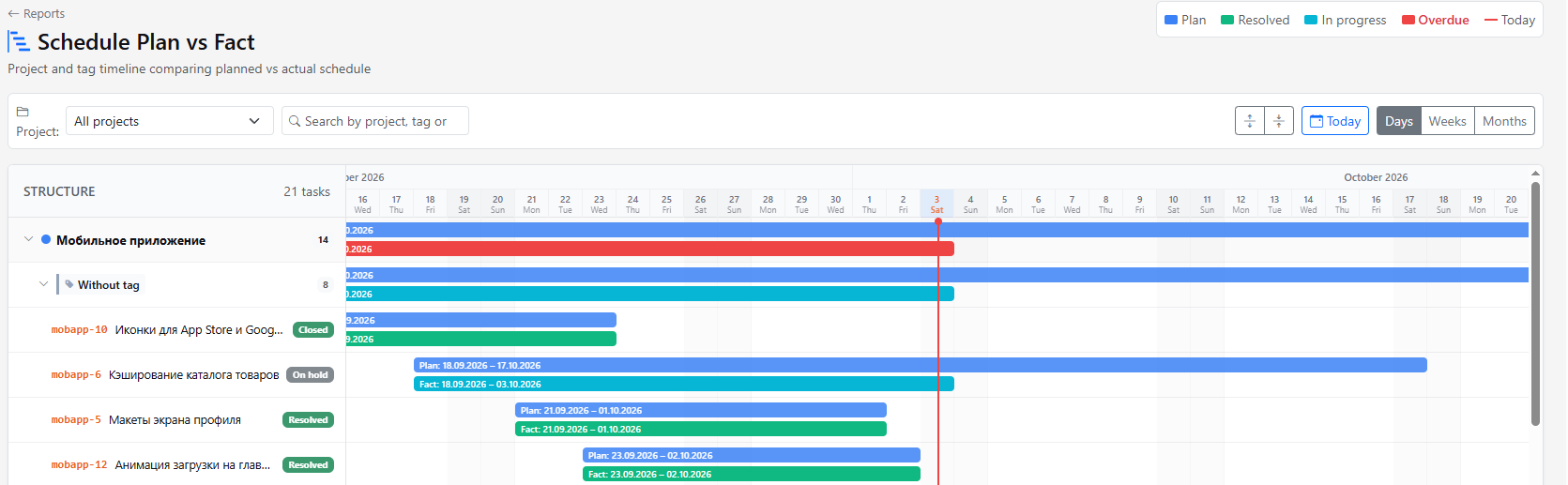
See what is happening in your business.

Reports on projects and people, goals and plan vs. actual, without status calls.

See what is happening in your business.

Frequently asked questions

Do we pay per employee?

No. The price is for the whole company, not per employee. Tasks, CRM, documents, files, reports and support are included, with no per-module fees. We give the price in a commercial proposal.

What does “free onboarding” mean?

For the first 10 customers we will help you move your work into HubNext and set the system up for your team, free of charge.

What is the “Automation” plan?

It is an add-on for companies that want scenarios and automated mailings, data import, automated processes and agents that do the work for you without spending any tokens. The price is in the commercial proposal.

How do I get started?

Request a call and we will show the system on your own tasks. Or message us on Telegram, or sign up and try it yourself.

Can I connect an AI assistant?

Yes. AI assistants (such as Claude) can read your HubNext projects, tasks and documents — read-only and only within the project you choose.

Which languages are supported?

The interface and the help center are available in Russian and English.

What if we need more than 50 users?

Message us on Telegram @hubnextcc or request a call, and we will quote a price for your team.

Where is my data stored?

In Kazakhstan, in certified data centers.

How is HubNext different from Jira, Confluence, Salesforce and Miro?

HubNext brings the essentials of these tools into one system: tasks and projects, documents, CRM and sales pipeline, goals and reports. One subscription for the whole company, a local product and local support.

Request a call

Leave your name and phone number — we will call you back and show how to set up HubNext for your team. Free onboarding for the first 10 customers.

No spam, no obligation. We will call you back and show you around.
Or message us on Telegram: @hubnextcc

Let HubNext work for your business.

Pick one process you want to improve. We will show you how it connects in HubNext.

Your business in harmony.

What's new

The system keeps shipping — 274 updates over the last few months.

22-11-2026
Audiences: conditions by category
Conditions in the audience builder are grouped by category, so they are easier to find. For hotels a "marketing consent" condition is added, to build audiences only from guests who agreed.
21-11-2026
Hotels: Exely bookings on a schedule
In the Data intake section you can connect a hotel from Exely: bookings, guests and companies are pulled automatically every 30 minutes. The system administrator sees all external connections in the new Connector registry.
21-11-2026
Private task tags
A task tag can now be private: only you and the people you choose can see it. Such a tag is shown with a bold border and a lock.
20-11-2026
Service catalog
The Catalog now has a Services section: categories, folders and priced services. On the client Billing tab you pick services from the catalog and can adjust the price for that client.
20-11-2026
The task order is remembered
In the task lists of a project and a subproject, the chosen column sorting (deadline, assignee, priority, status) is kept in the browser and is not reset when the page is refreshed.
20-11-2026
New work mode: Hotels
Organizations in the hotel business get a new Hotels mode with its own menu, permissions and teal theme. The Guests, Stays and other sections will fill in as the direction develops.
20-11-2026
Demo label for organizations
Training organizations are now marked with a DEMO label next to the name in the menu, so they cannot be mistaken for working ones.
20-11-2026
The organization head sets employee rights
The organization head opens the Rights button in People and decides from which role each function is available: emails from tasks, closed documents, sprints and more. Rights can be granted up to your own role.
19-11-2026
Task curator
Tasks now have a curator: a person who keeps an eye on the task without doing the work. The task appears in their My tasks with a binoculars icon, and they get the same notifications as the assignee.
19-11-2026
Documents on a product
A product page now has a Documents block: attach presentations, commercial proposals and other documents from the journal. Search by type and by title text.
19-11-2026
New fields for leads and companies
Lead and company cards now have BIN, website, industry, number of employees, country and city, current supplier and budget. A lead shows the sales status instead of the regular status, and all data moves to the client card on conversion.
18-11-2026
Permissions matrix
Administration now has a «Permissions» tab: see at a glance what each role can do (funnels, duplicates, mailings, agents and other features) and switch permissions on or off per organization.
18-11-2026
Duplicate warning on creation
When you create a lead or client, the system checks email, phone and name and shows similar existing records so you do not create a duplicate. You can merge duplicates in the Duplicates section.
18-11-2026
No comments on closed tasks
You can no longer comment on a closed task. To leave a comment, reopen the task first.
18-11-2026
Hide reminders in Todos
New switch in Todos: "Hide reminders" moves reminders to a collapsed block at the bottom until they are due. On the due day they return to the active todos.

All updates (274)